Give your photo a next moment
Turn a photo into a short video. Describe how the subject and camera should move, then choose the format for your next post or project.
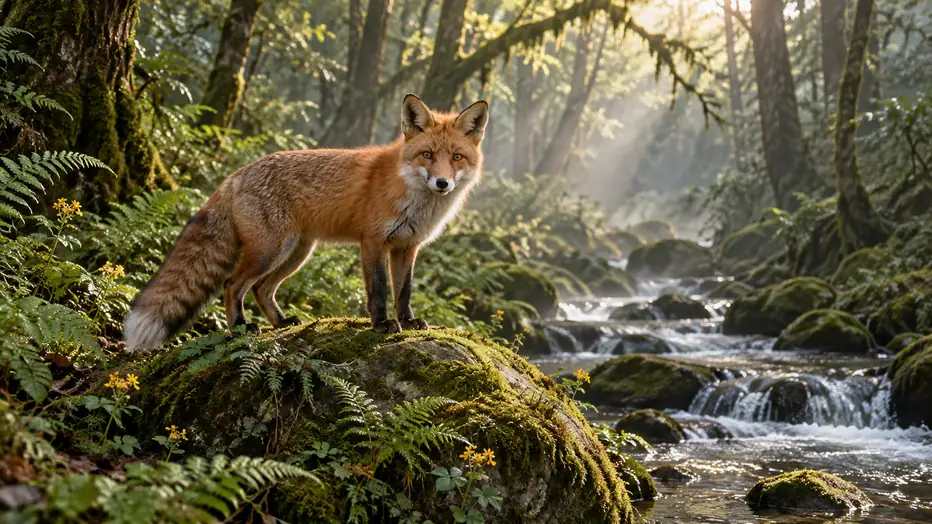
The fox slowly turns its head toward the stream and flicks its ears. Leaves sway, mist drifts and water flows. Slowly push the camera forward.
Keep your image. Direct the movement.
Begin with a visual you like
Use a product photo, character illustration or landscape as the starting point for your video.
Choose what moves
Guide the subject, background and camera in your prompt. Add an end frame when the selected model supports one.
Find the take you want to keep
Adjust one movement at a time, compare earlier takes in Video History and download your chosen clip.
Give your image a next frame
- Step 1
Start with an image
Upload the photo or illustration you want to animate. Add an end frame if your selected model supports it.
- Step 2
Describe the motion
Explain how the subject and camera should move. Choose your video settings and check the credit quote before generating.
- Step 3
Preview your video
Watch your finished creation, download the clip, or reuse your image and prompt to try another direction.

Image-to-video FAQ
Upload JPEG, PNG or WebP images, up to 20 MB each. The selected model determines the number of references and any additional input requirements.
Timing depends on the model, selected settings and current queue. Follow the task status on this page; you can reopen the task later from Video History.
Your video appears beside the tool when it is ready. Sign in to browse Video History, open a task’s details or download a finished clip. Choose Reuse to restore its inputs for another take.
Some models support an optional end frame. Select a model that offers this input, add the image and describe how the scene should move toward it.
Generation uses credits. The panel shows the cost for your selected model and settings before you submit. Visit Pricing for current plans and credit packs.
Creations are public by default. Eligible paid accounts can turn off Public before generating. Check the setting before submitting.
A confirmed failed generation returns its reserved credits. An interrupted connection does not mean a task has failed. Check the task status before submitting again.
Files and results are kept for 10 days for free accounts and 180 days for eligible paid accounts, measured from upload or creation. Download what you want to keep before it expires.