Give an image a new direction
Turn a sketch into a product concept, restyle a photo or explore a new setting.
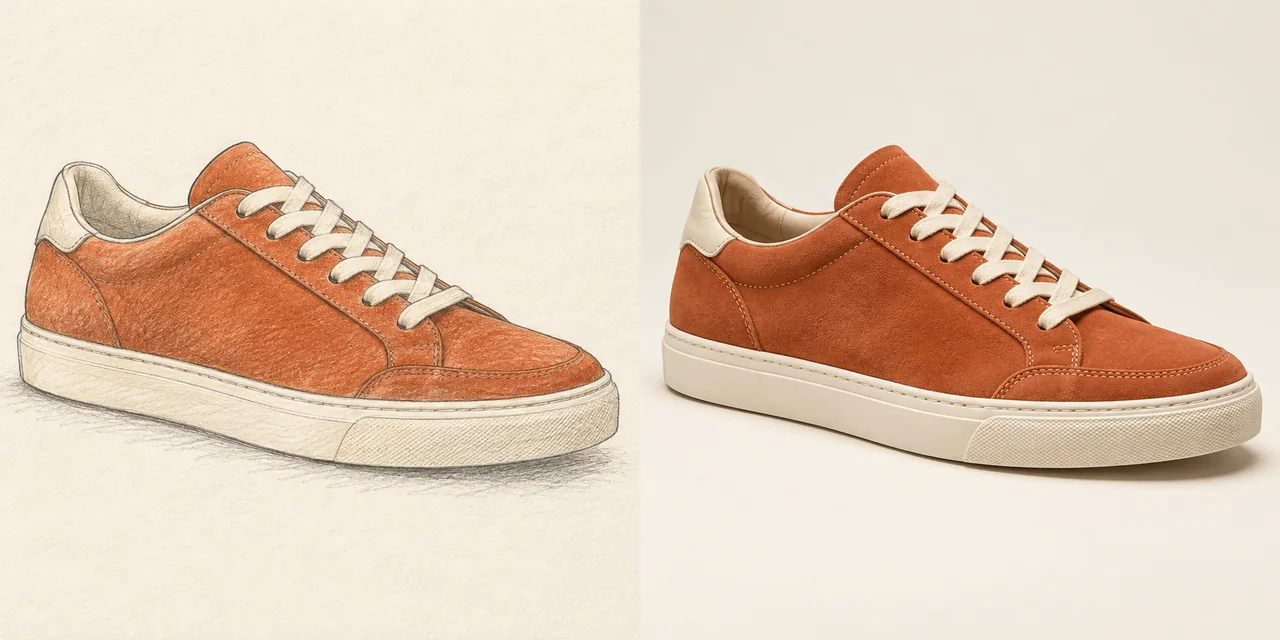
Turn the reference sneaker sketch into a realistic studio product photograph. Keep its terracotta suede panels, cream laces, ivory sole, proportions and viewing angle. Use a warm ivory background with a soft ground shadow.
Creative illustration.
Build on the image you have
Explore another material
Reinterpret a photo as illustration, paper craft or textile artwork.
Give the subject a new setting
Describe a different room, background or light while naming the details to preserve.
Refine one change at a time
Compare the result with your original and reuse your inputs for another pass.
From original to another version
- Step 1
Add your starting point
Upload a photo, sketch or illustration, or begin with a written idea.
- Step 2
Describe the change
Explain what should change and what should stay, then check the model settings and credits.
- Step 3
Compare and refine
Inspect the whole image, then download it or reuse the inputs for another version.

Frequently asked questions
Upload an image to guide an edit, or start from text to create something new. References support JPEG, PNG and WebP up to 20 MB each; image counts depend on the selected model.
Describe the subject, composition or details to keep. The model may still change them, so inspect the full result before using it.
Explore a new style, material, background or composition. For a focused edit, name the part to change and explain what should remain.
The number on the generate button is the credit cost for your current model, references and settings.
Generated images are public and exports include a watermark by default for free accounts. Eligible paid accounts can turn these off.
Reserved credits are returned when a task is confirmed to have failed. A browser timeout alone does not mean failure. See the Refund Policy for details.
The file retention period is 10 days for free accounts and 180 days for paid accounts. Download images you want to keep, and see the Privacy Policy for data handling details.